Answer the questions that determine a visit
A restaurant website should make it easy to understand the food, find the location, check when the restaurant is open and take the next step. Before launch, test those tasks on a phone. Photography and atmosphere matter, but visitors also need practical information they can act on.
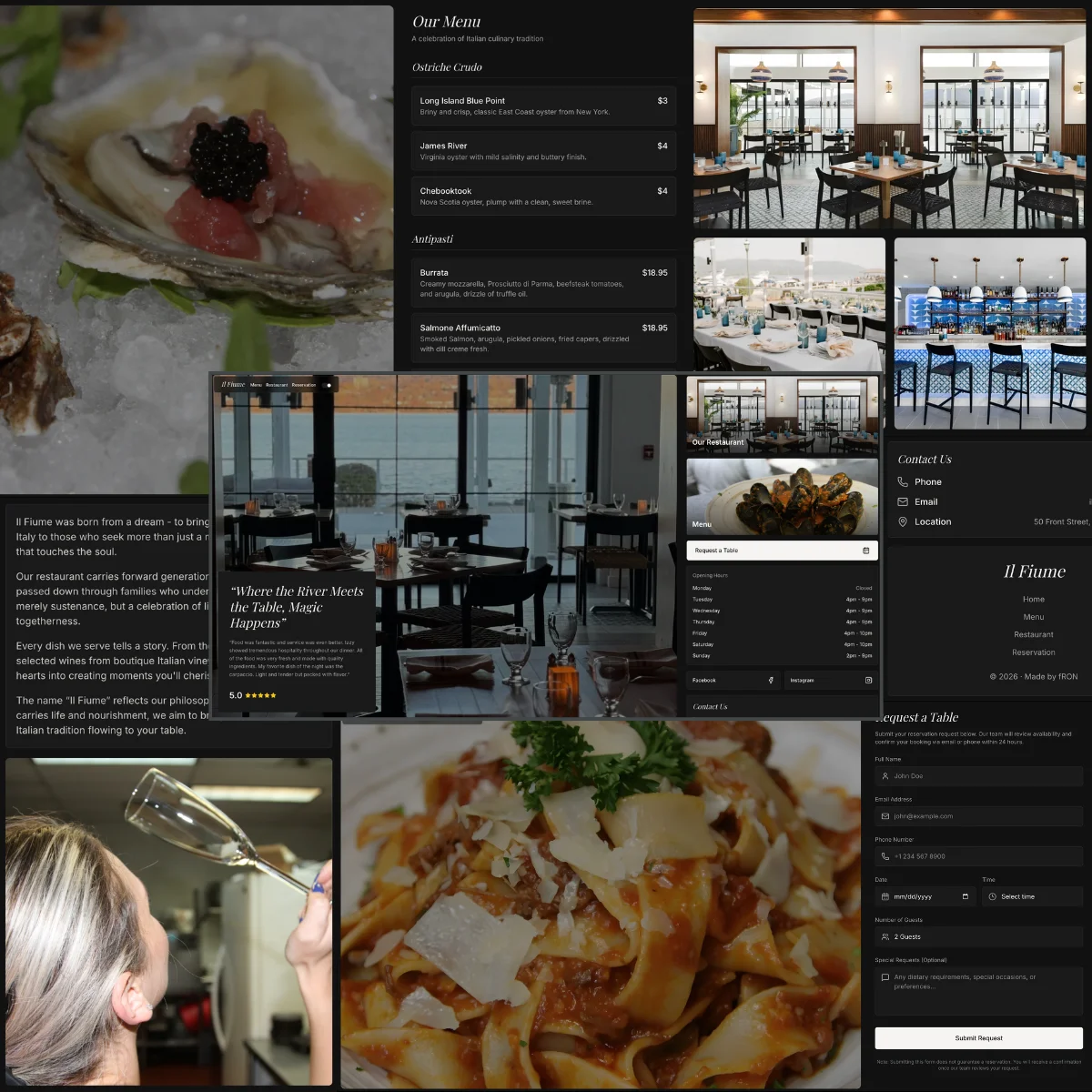
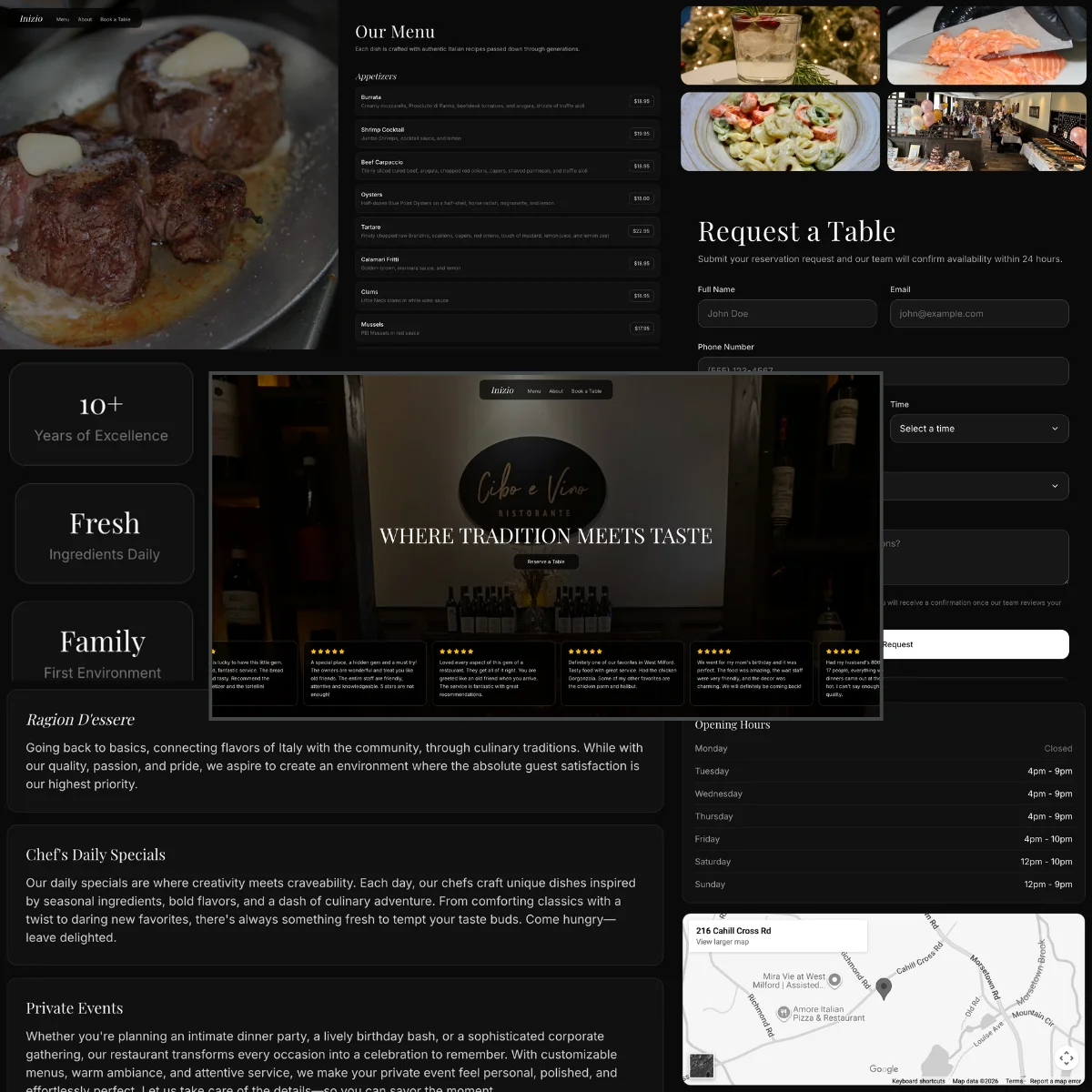
My work for Il Fiume and Inizio connects the character of each venue with menu, location and reservation information. The practical test is whether someone unfamiliar with the restaurant can plan a visit without calling to ask for details already available online.
Make the current menu usable on a phone
Check that menu text remains readable without pinching and zooming. Organize dishes into useful categories and make prices, descriptions and available options clear. If a downloadable PDF is provided, it should supplement an accessible on-page menu wherever practical rather than become the only way to discover the food.
Ask the restaurant to verify the final content against its current menu. Confirm which menus apply at different times and whether seasonal items are available. Avoid leaving old pricing or discontinued dishes in a second page, downloadable file or image after the main menu changes.
Present dietary and ingredient information using wording approved by the restaurant. Make it clear how guests can ask about requirements that need staff confirmation. Website copy should not invent assurances about preparation or cross-contact that the kitchen has not provided.
Test the reservation journey from start to finish
Use a clear label for the actual action: book a table, call for a reservation or send a request. If the website opens an external booking service, make that transition understandable. If a form only sends an enquiry, do not describe the result as a confirmed reservation.
Check the route on a phone, with a keyboard and on a narrow screen. Confirm that date and party-size controls are usable, that errors explain how to proceed and that confirmation information matches the real process. Coordinate any test booking with the restaurant so it does not occupy a live table unnecessarily.
Include an alternative contact method for questions or booking difficulties. Explain special arrangements only where the restaurant has supplied them, such as group enquiries or private dining. Avoid promising a response time unless someone is responsible for meeting it.
Verify location and hours as operational information
Write the full address as text and provide a working map link. Inspect the destination to make sure it points to the correct entrance or location. Add useful arrival details when they are known, such as parking guidance or access instructions, without assuming that every visitor knows the area.
Distinguish restaurant opening hours from kitchen service times when they differ. Clarify recurring closed days and plan how holiday exceptions will be updated. If several locations share a website, each needs its own address, hours and booking path.
Compare the website with the public listings the restaurant controls. Conflicting information can leave a guest unsure which source to trust. Assign someone to update those listings when the restaurant changes its hours, phone number or booking provider.
Use images that help a guest decide
Show the actual venue and food with permission to publish the images. Select a small set that explains the experience: dining room, representative dishes and relevant outdoor or private areas. A visitor should be able to tell what the restaurant is like without watching a long animation.
Check image crops on both mobile and desktop. Food should remain recognizable and important details should not disappear behind headings. Write descriptions for meaningful images based on what they show; decorative imagery does not need a repeated list of restaurant keywords.
Balance visual quality with loading cost. Test on a slower connection as well as the office network. Make sure the menu, address and reservation link remain usable while large photographs load. A blank hero that blocks these tasks needs attention before launch.
Agree ownership and run a final task check
Name the person who will maintain menus, hours, notices and contact details. Confirm that the business can access its domain, hosting and booking accounts through its own authorized administrators. Document how routine changes are requested or made, and keep the original approved content and image assets organized.
Worked example, for a fictional Saturday dinner visit: ask a tester on a phone to find a main course and its price, confirm when the kitchen serves it, open directions to the correct entrance and request a table for four. The tester should be able to explain whether the final message confirms a booking or only acknowledges a request. Repeat with an unavailable time and check that a useful alternative or contact option is offered. Record missing information and confusing labels before explaining the intended route.
Before publishing, verify the menu, contact links, small-screen navigation and booking messages against the restaurant’s actual operations. Keep a short handover checklist covering who updates each item and where the approved content lives.